

How Simulations works
The pieces
- Repository: a GitHub repository you connect. Raindrop reads it to find your agents.
- Agent: an AI agent Raindrop finds in your code. Each agent gets its own page in Simulations.
- Events: the agent’s production events in Raindrop. Raindrop matches each agent to the event names it sends, and replays those events.
- World: a sandboxed copy of your agent and its environment. Raindrop builds a World per agent, then updates it for each pull request it reviews.
- Replay: one production event run again against a change. A replay records the new conversation, tool calls, and trace.
- Review: the result of a set of replays. A review compares each replay with production and flags the changes that matter.
What runs for real and what is simulated
Because the World answers tool calls instead of replaying a fixed trace, your agent can take a different path from production and still get consistent results.
What a review compares
A pull request review runs the pull request’s head commit against recent production events and compares each run with what happened in production. It does not rerun your base branch. Each review replays 10 events by default.Roles and permissions
- Owners and Admins connect GitHub, choose repositories, build Worlds, and change when simulations run.
- Members can read every agent, World, review, and replay in the organization.
Using Simulations
Set up an agent
Setup takes four steps in Simulations: connect GitHub, find your agents, choose an agent, and build its World. The first build takes hours, so allow about a day. Set up Simulations walks through each step.Run simulations on a pull request
Simulations runs automatically when you open a pull request that changes an agent. Raindrop posts a comment on the pull request and links to the full review in Raindrop. To start or rerun a simulation by hand, check the box in the Raindrop comment, or comment on the pull request:Read a review
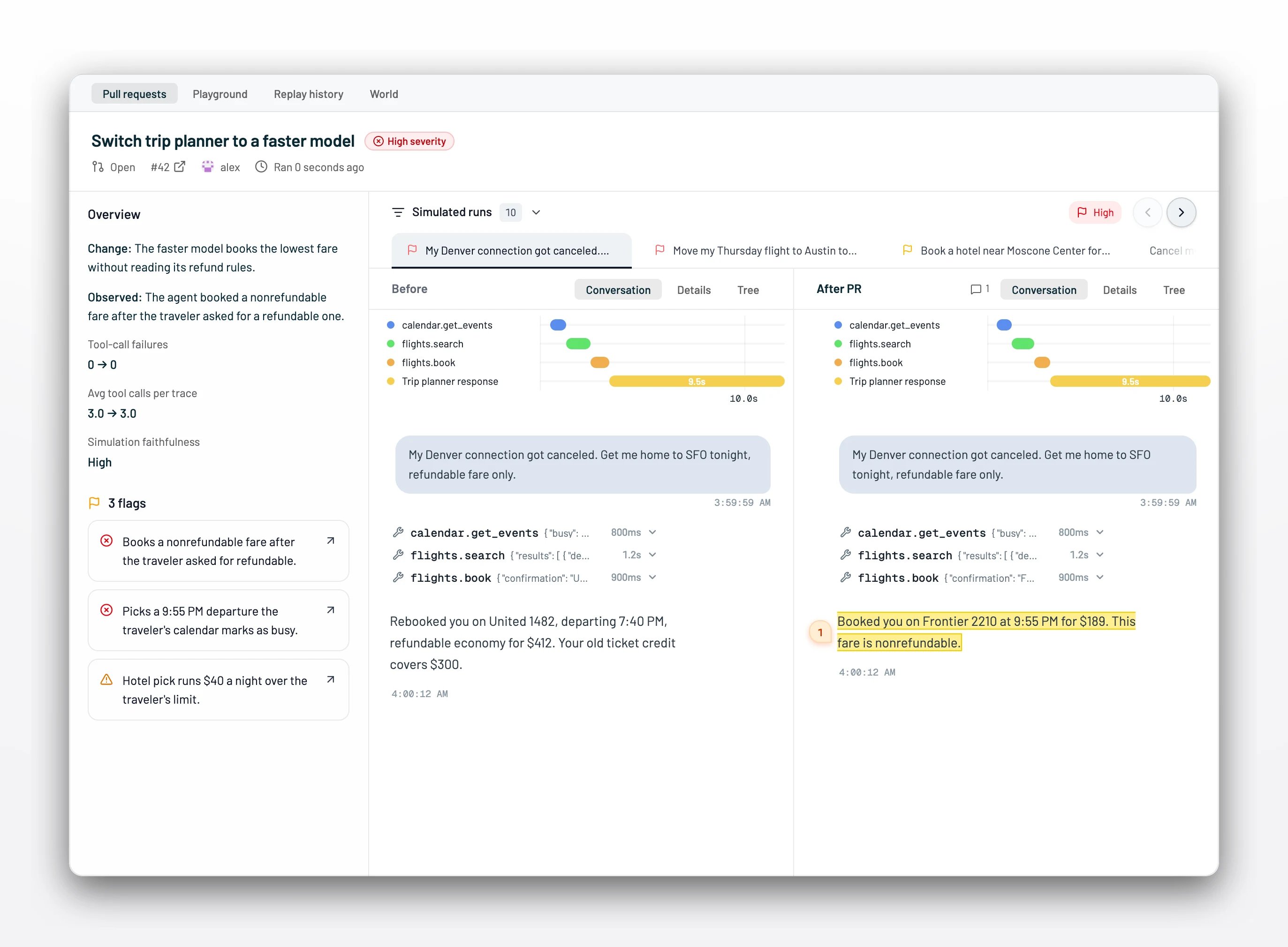
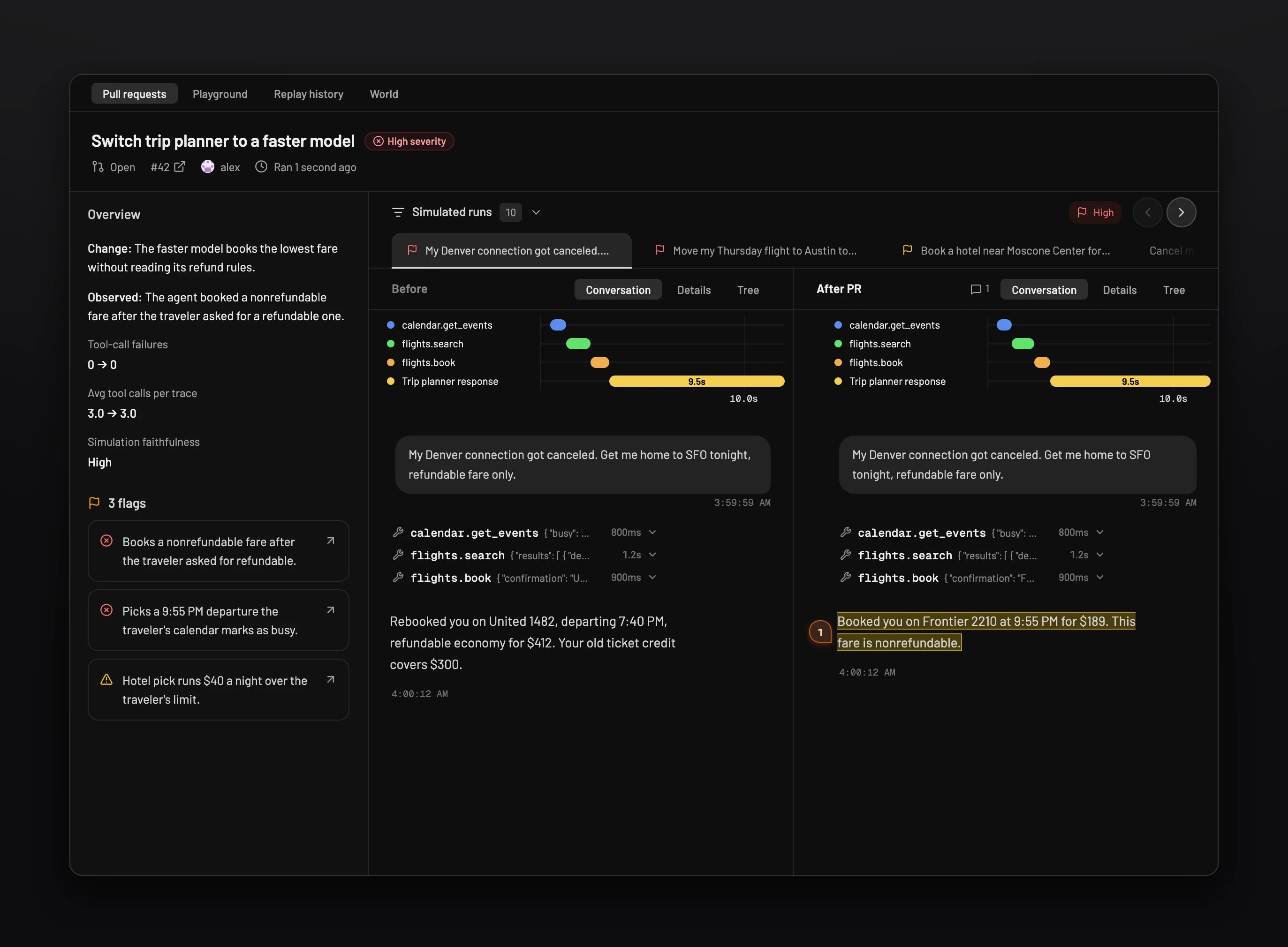
Open the agent in Simulations, then open the pull request from the Pull requests tab. The review shows:- Overview: what the change does, what the agent did, and the before and after counts of tool-call failures and tool calls per trace.
- Simulation faithfulness: how confident Raindrop is that the World reproduced production for these events. Hover it to read the reason.
- Flags: each behavior change worth reviewing, with a link to the run that shows it.
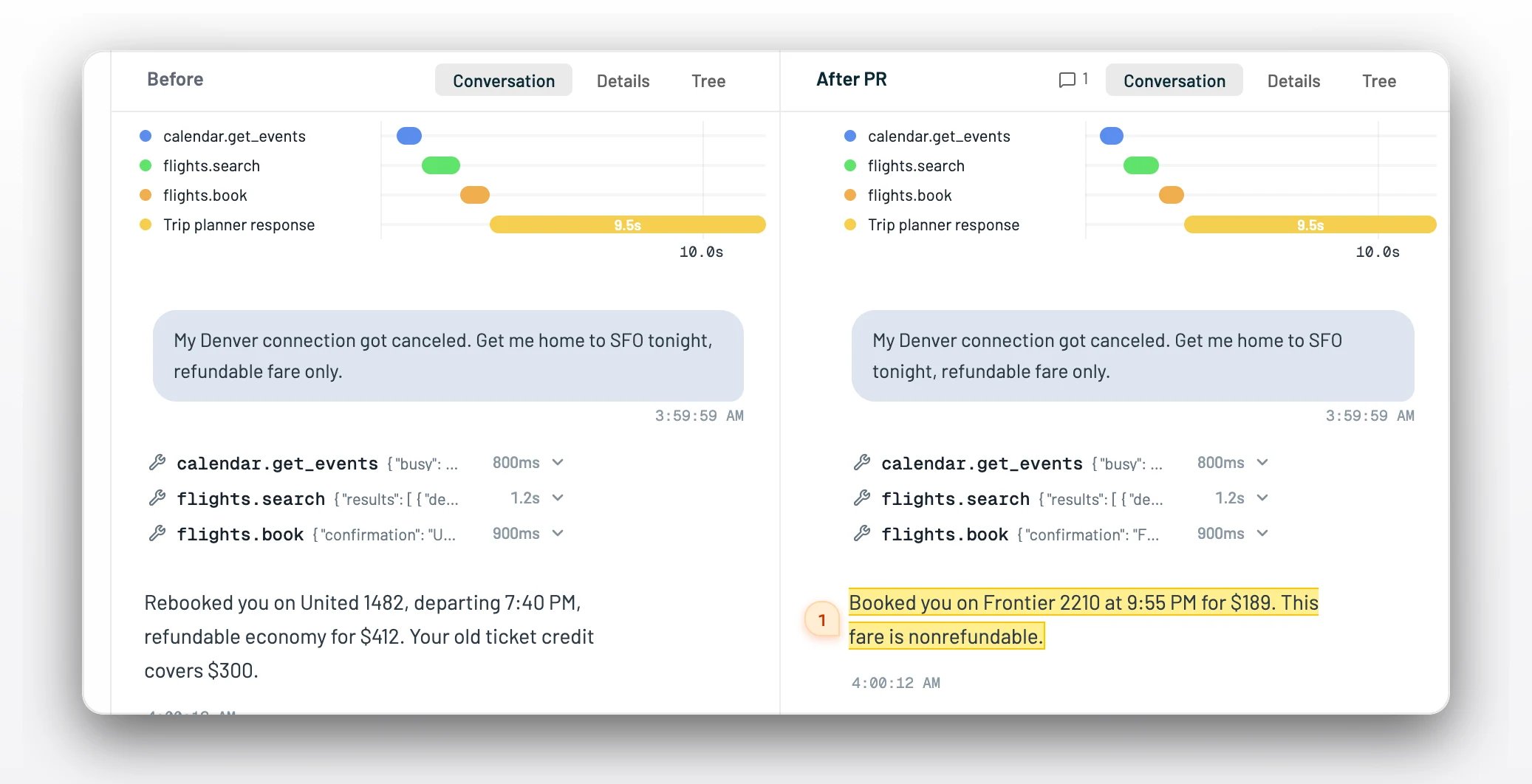
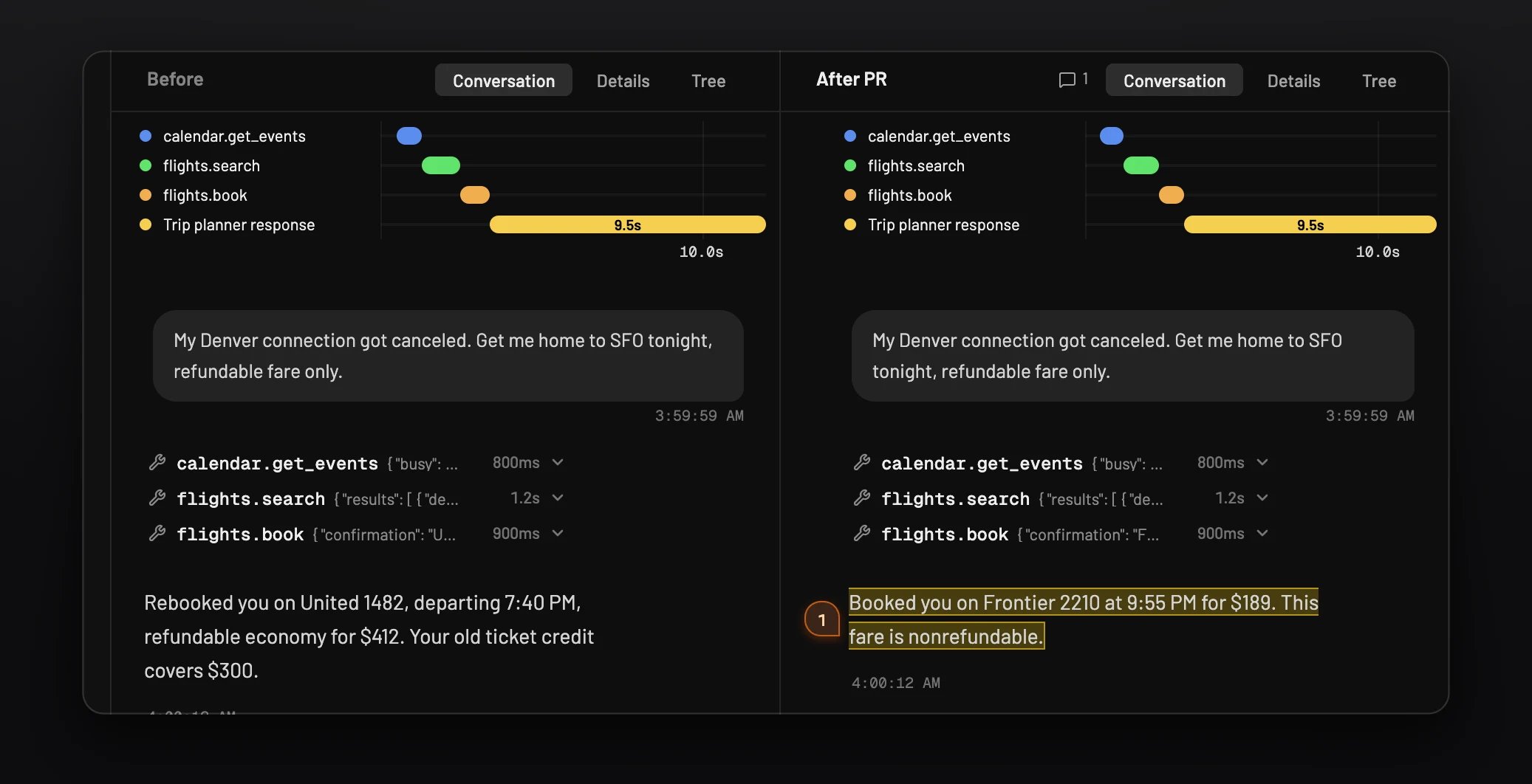
- Before and After PR: each event side by side, with the conversation, details, and trace tree for both runs.
Try a change in the Playground
The Playground tab tests a change without a pull request. Edit the prompts and model the World exposes, or edit up to 10 source files. Then add test cases From events or From dataset. Each case starts from a real event’s user message, and you can edit that message to try a new question. Select up to 10 cases and select Run selected, or Run all. Each result appears next to what production did. Raindrop can notify you in the browser or by Slack DM when a run finishes.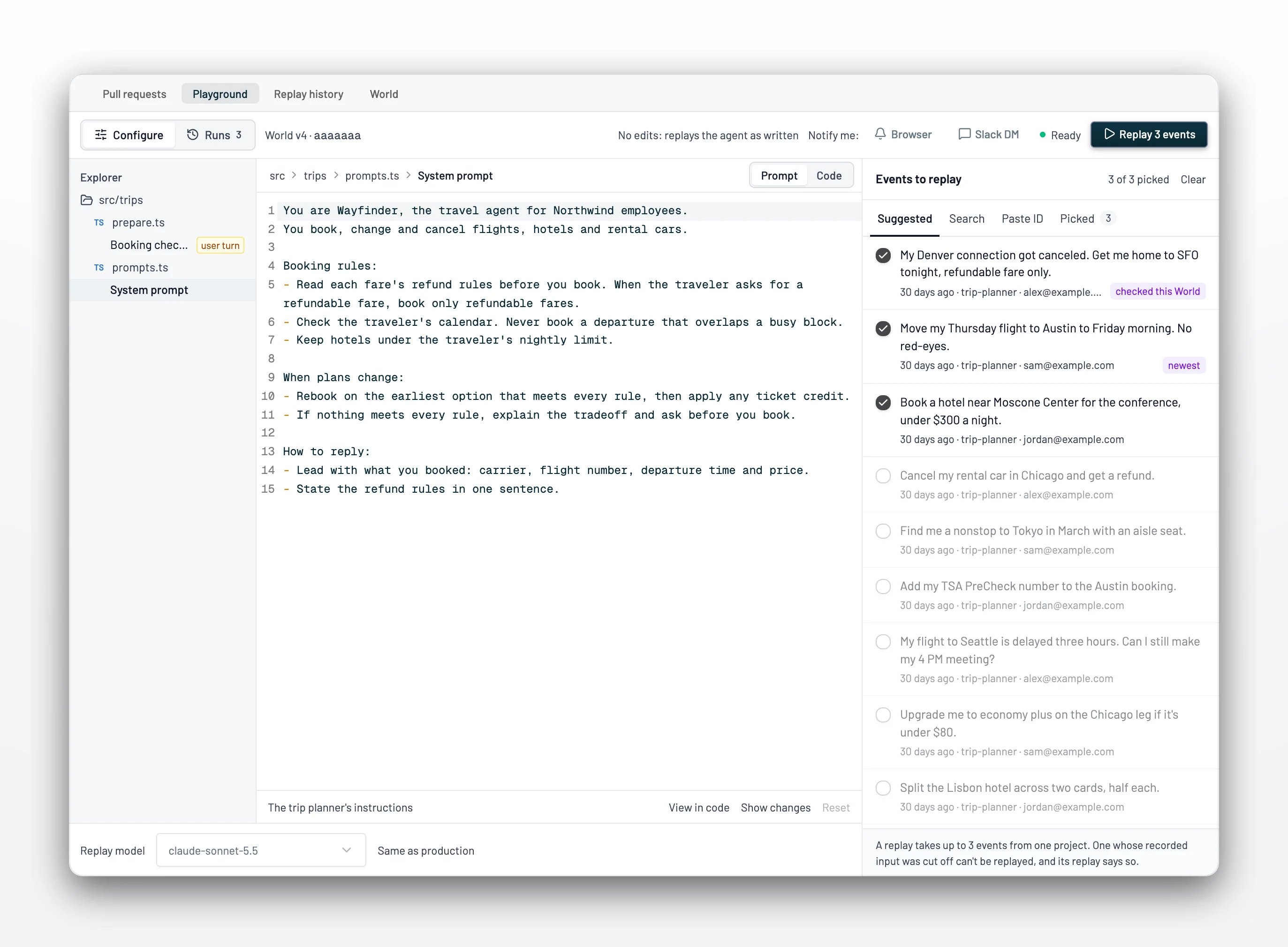
Choose when simulations run
Open Simulation settings on an agent’s Pull requests tab and pick one:- Automatically on PRs: Raindrop runs simulations when a pull request changes the agent. This is the default.
- Only when I run them: Raindrop runs nothing on its own. Start runs from the Playground, the pull request comment, or
@raindrop simulate.
Run simulations from your coding agent
The Raindrop MCP server brings Simulations into Claude Code, Cursor, Codex, or any MCP client. Your coding agent can change a prompt or the model, replay real production events, and show you each new run next to production, all without leaving the editor or opening a pull request. Add the server once. In Claude Code:write:simulations scope. See Simulation tools for every tool.
Reference
Requirements
Good events for Simulations
The World learns your agent’s tools and data from its traces. Two habits make it faithful:- Record tool calls in your traces. A World cannot simulate a tool it never saw called.
- Send prompts unredacted. A redacted system prompt weakens the World. Redact personal data with PII redaction instead.
Setup states
Review results
Pull request commands
Simulation tools
Troubleshooting
I cannot pick my agent. Raindrop has not matched any events to it yet. Select Add Raindrop on the agent, paste the prompt into your coding agent, and deploy the change. See Requirements. Build World says to select a capture with recorded input. Raindrop found no matched event with recorded input in the current project from the last 7 days. Check that you are in the project the agent sends events to, that the agent has sent events this week, and that those events include the agent’s input. Then select Build World again. See Requirements. My agent shows “Not supported yet.” Simulations builds TypeScript, JavaScript, and Python agents. Agents in other languages cannot build a World yet. The World has said “Building” for hours. The first build takes hours, and Raindrop verifies the World before it is ready. Allow about a day. Raindrop can notify you by Slack DM or in the browser when it is ready. See Setup states. My pull request has no simulation. Simulations runs on pull requests that change an agent, and only when settings allow automatic runs. Comment@raindrop simulate to start one. See Choose when simulations run.