

What you will build
In one pass you will name a production failure, inspect its trace, write a check that fails before the fix and passes after, and confirm with an experiment that production behavior changed. Run the loop manually once before automating it. Manual review shows where evidence or reproduction becomes unreliable.Prerequisites
-
An instrumented application. See Integrations or run the
raindrop-setupskill. - Issue Detection on Pro, or a signal alert on any plan.
- Raindrop MCP connected to your coding agent.
-
Workshop:
-
A Query API key in the shell that runs Workshop:
Create the read-only key in Settings. Never commit it or your ingest key.
- A coding agent that supports MCP: Claude Code, Codex, Cursor, Devin, or OpenCode.
Step 1. Start from a detected failure
Open the issue or signal alert in Slack. An issue reports a broader distribution change, such as a failure spreading across users or a regression after a deploy. A signal alert fires when a defined behavior crosses its threshold.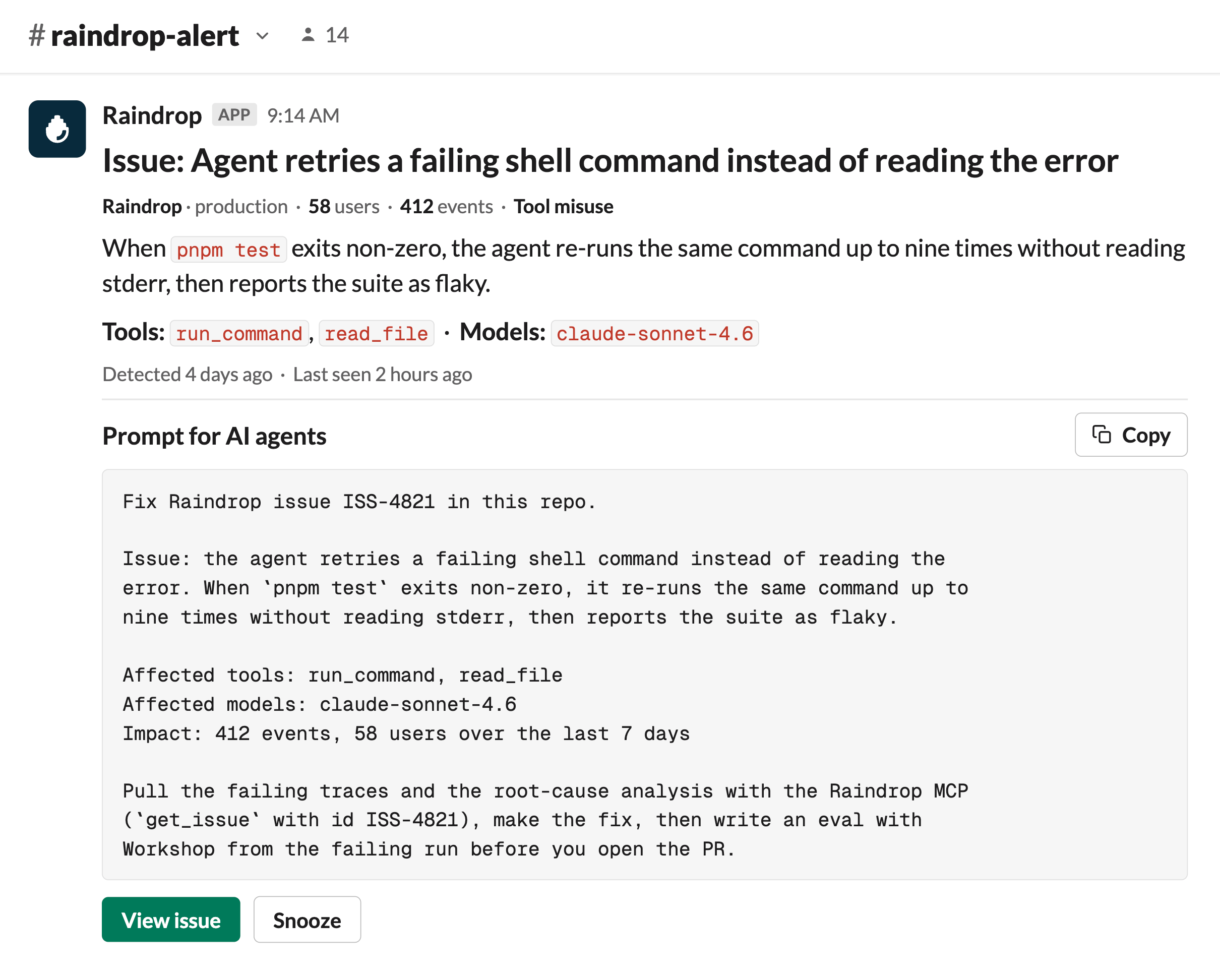
Step 2. Read the evidence yourself (optional)
Open the issue and check its severity, trend, affected tools and models, event and user counts, and matching events.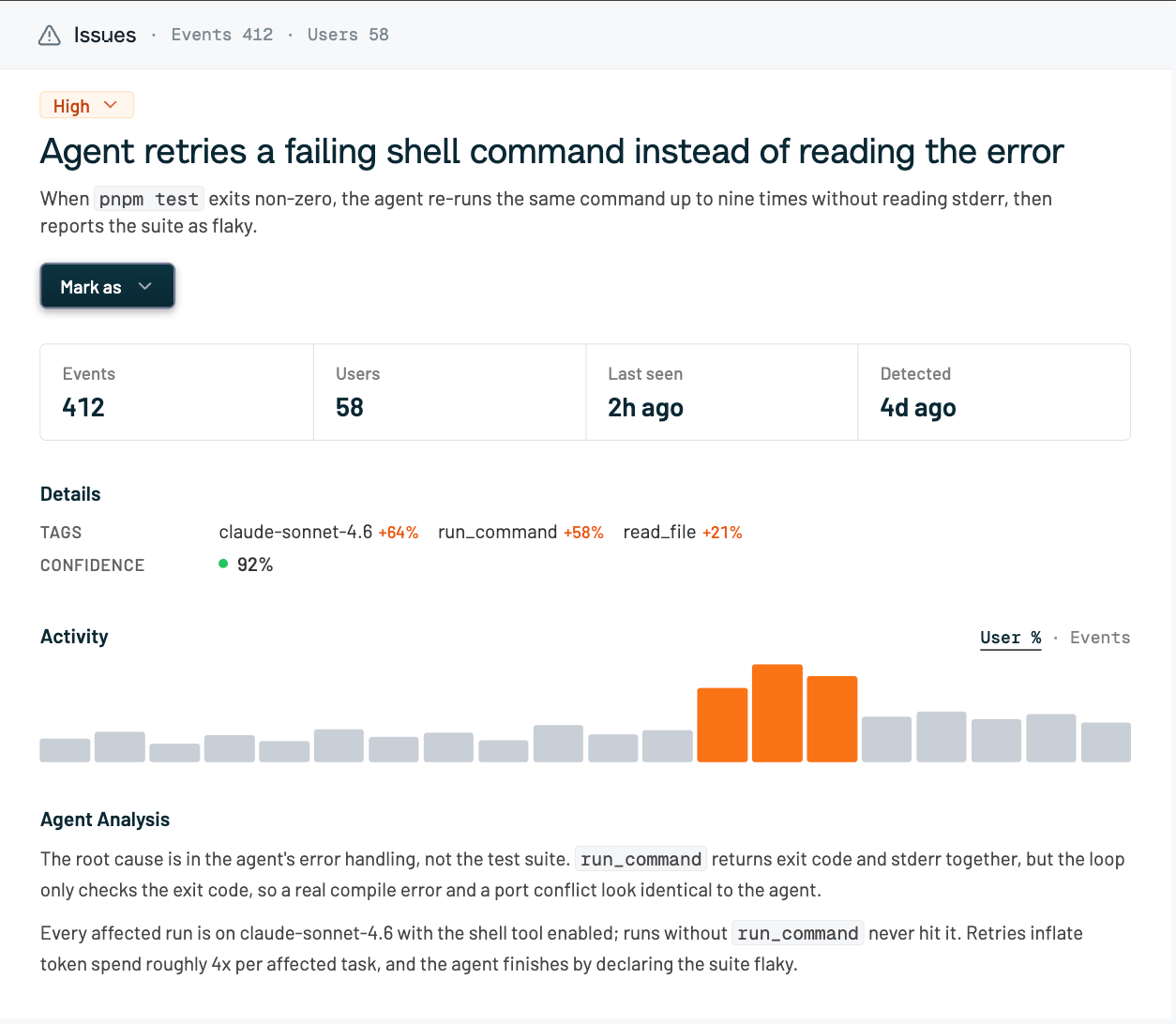
- Does the issue describe one failure or several? Issues can group a shared symptom with different causes.
- Is a code change worth making? Ignore inaccurate or low-value issues.
Step 3. Give the agent a focused evidence request
Use the prompt block from your Slack alert, or ask the agent to investigate in this order:raindrop-investigate skill packages the same flow:
Step 4. Import the production trace into Workshop
Start Workshop:Import the run and find the cause
Ask your coding agent:import_cloud_trace needs a verified event ID and RAINDROP_QUERY_API_KEY.
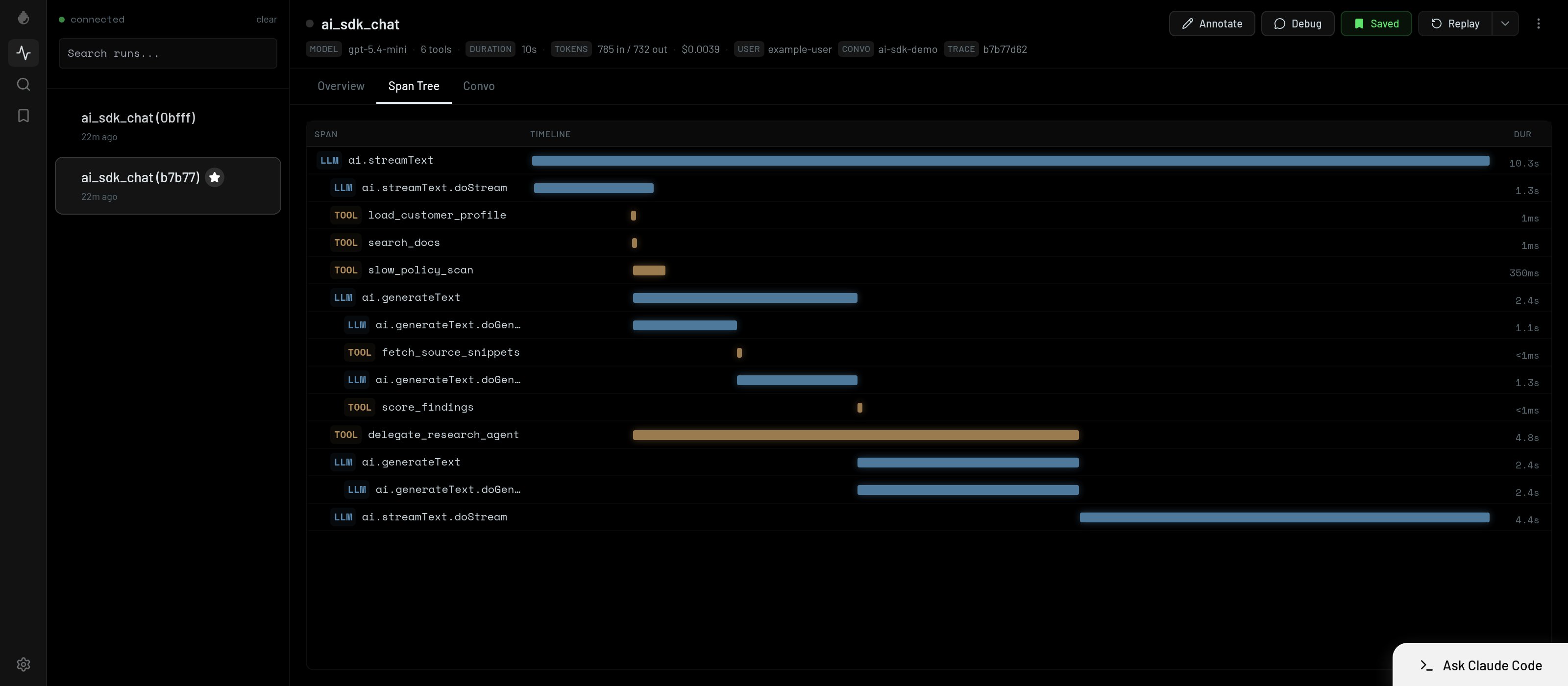
Workshop opens the run as a span tree: every model call, tool call, and sub-agent in the order they ran, with the duration of each beside it. This is the same execution you saw counted in the issue, now on your machine. Read the tree before opening payloads, since repeated tool calls, empty sub-agent results, and long spans usually point at the cause.
Mark what you found
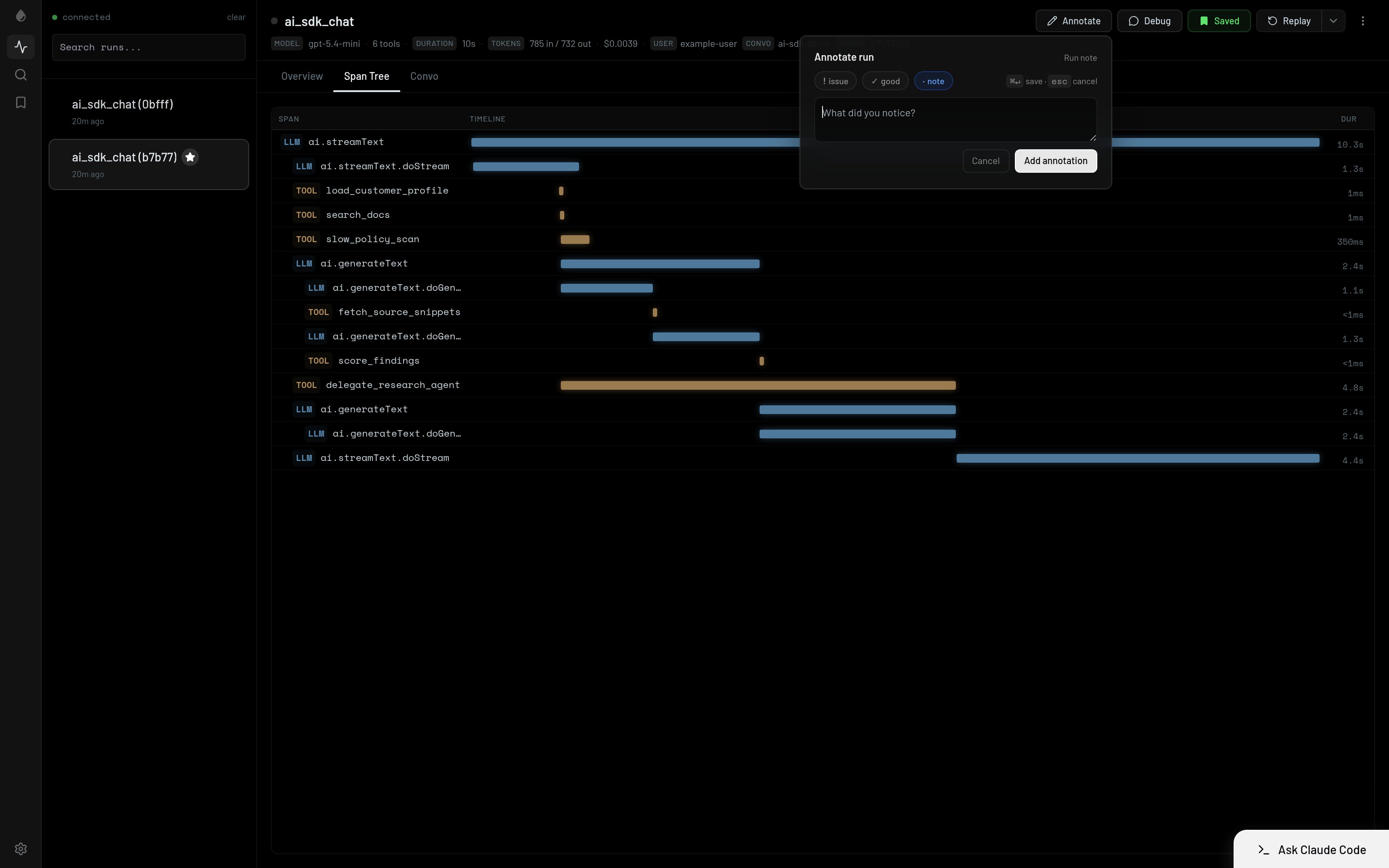
Record the finding on the span withannotate. The note stays attached to the run, so your coding agent reads it as context on every later pass.
Step 5. Write a check that fails before the fix
Ask your coding agent:- Assert the tool-call sequence and forbidden calls.
- Assert tool arguments.
- Assert state after the run.
- Assert structural output such as a citation or schema.
Step 6. Ship the fix through the normal review process
Open a pull request with the fix and check together. Review, merge, and deploy remain your repository’s process.Step 7. Verify the change in production
After deploy:- Watch the signal or issue for a lower failure rate.
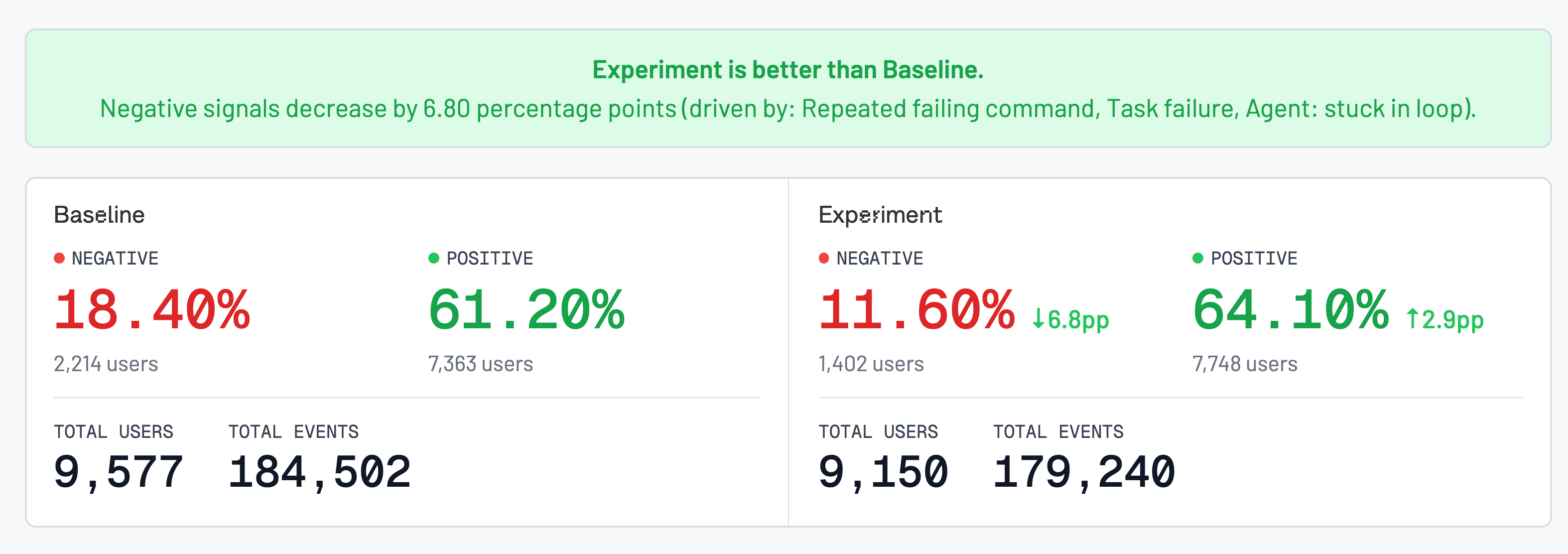
- Run an experiment comparing cohorts before and after the change.
- Break the comparison down by the relevant signals.
Automate only after the check earns trust
Start with a reviewed manual run:- Manual trigger, agent investigates, human reviews the diff.
- Alert triggers the agent; the pull request waits for review.
- Agent opens pull requests unattended only where an existing check proves the fix.
Pitfalls
The check never failed. Run it before the fix and confirm the failure. The issue groups several causes. Split the investigation and trace each cause separately. The final response looks correct. Assert on the trajectory, not only the final message.Related
- Issues and Signals for detection
- Workshop for inspecting traces locally
- MCP overview for production evidence
- Experiments for production verification