

How alerts work
All three are delivered to Slack and managed in one place, Settings → Notifications. Signal Alerts are reactive (they fire when a signal crosses a threshold), while the Daily Digest and Agent Briefs run on a schedule.Using alerts
Alert on a signal
Configure a custom alert for any signal, including tool errors. Choose a threshold of users or events affected, or alert on every match. Alerts can be snoozed or disabled per-signal.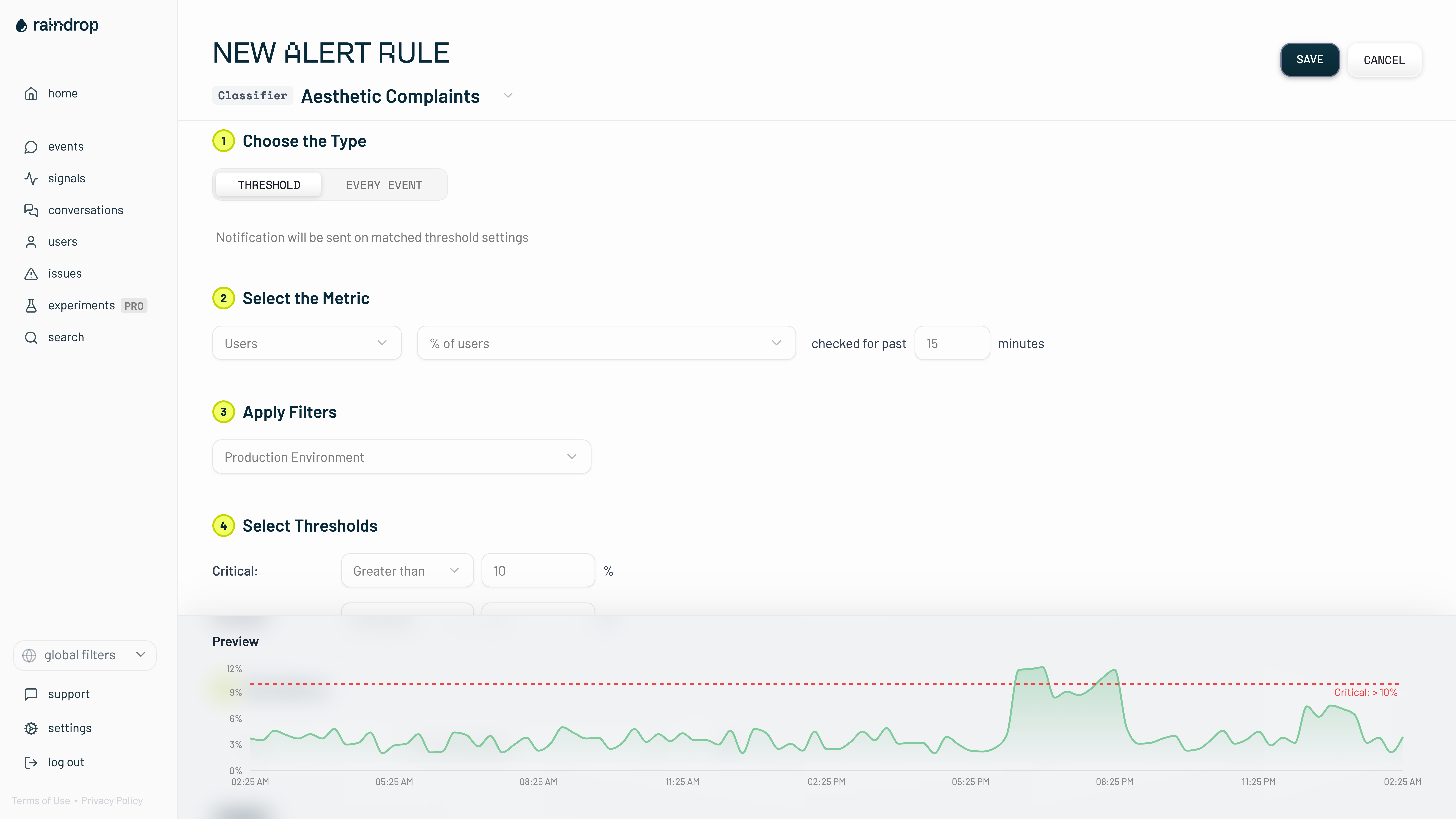
Get a daily digest
Turn on the Daily Digest for a Slack summary that recaps the agent’s issues and wins from the day before. Compact mode posts one-liners with the details in-thread.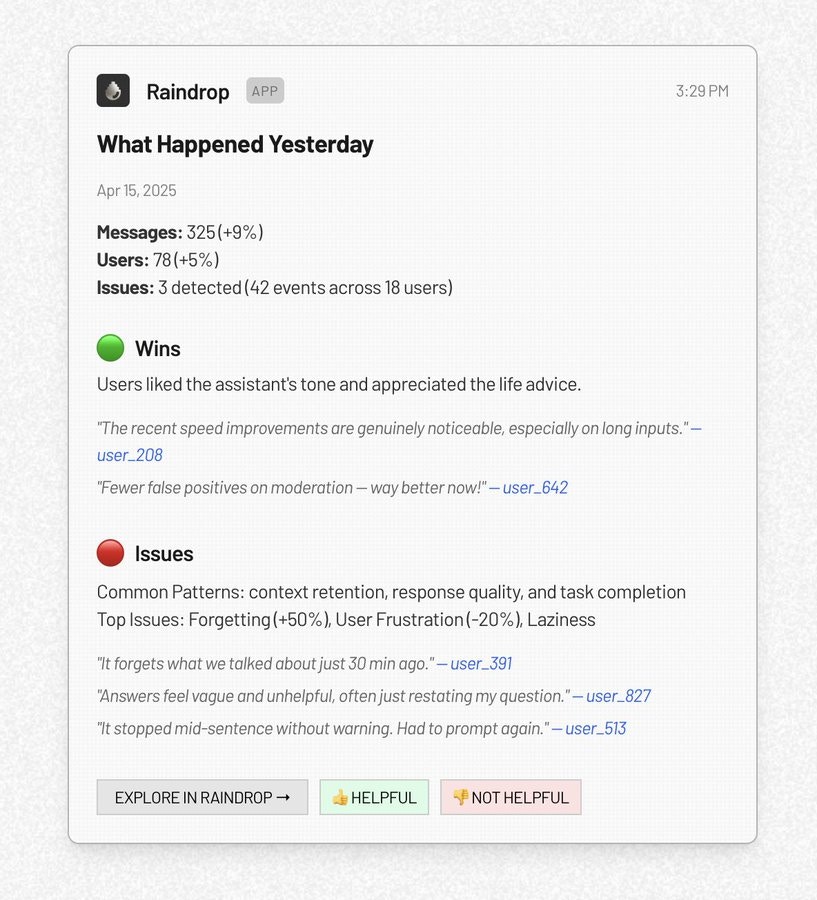
Schedule an investigation
Schedule the Triage Agent to run an investigation on a cadence and post the results back to Slack, for example “every Monday at 9am, summarize the biggest issues enterprise customers had last week”. Create one from Agent Briefs → New, or by @mentioning Raindrop in Slack with a scheduling request. See Triage Agent → Agent Briefs for the full configuration options (prompt, schedule, timezone, channel, run-now).Reference
Related
- Signals for the behaviors a Signal Alert watches
- Triage Agent for the investigations behind Agent Briefs