> ## Documentation Index
> Fetch the complete documentation index at: https://raindrop.ai/docs/llms.txt
> Use this file to discover all available pages before exploring further.
# Events
> Search and filter every user or agent interaction you've sent to Raindrop
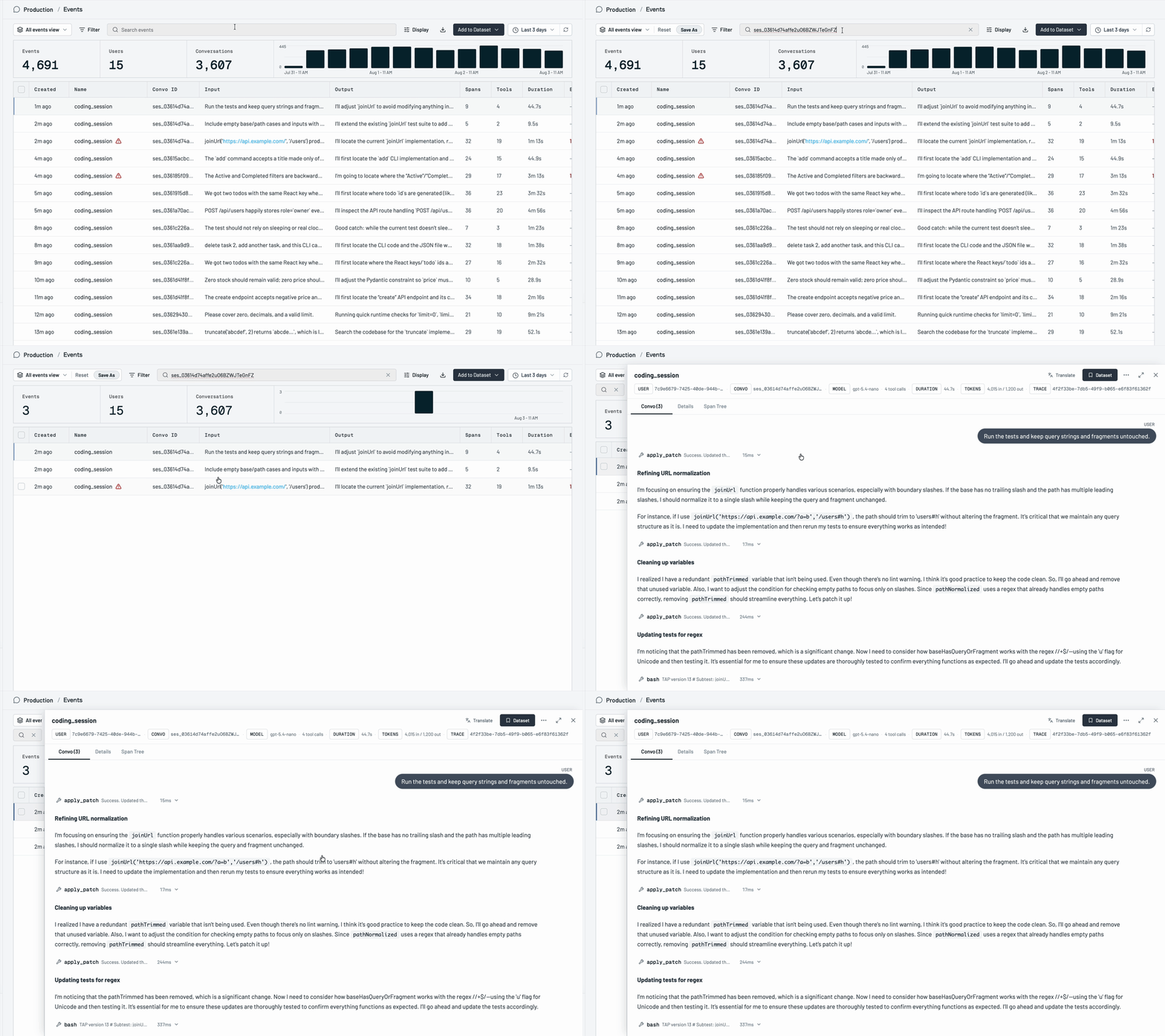
An event is a single logged interaction you send to Raindrop: a user turn, an agent response, or a tool call, grouped into conversations. The Events page is where you search across all of them and drill into the exact traces behind any number, chart, or signal.
## Using events
### Search
Use the search bar to find events by text. Search across the event content, or paste an event ID or conversation ID to jump straight to a specific interaction.
 ### Filter
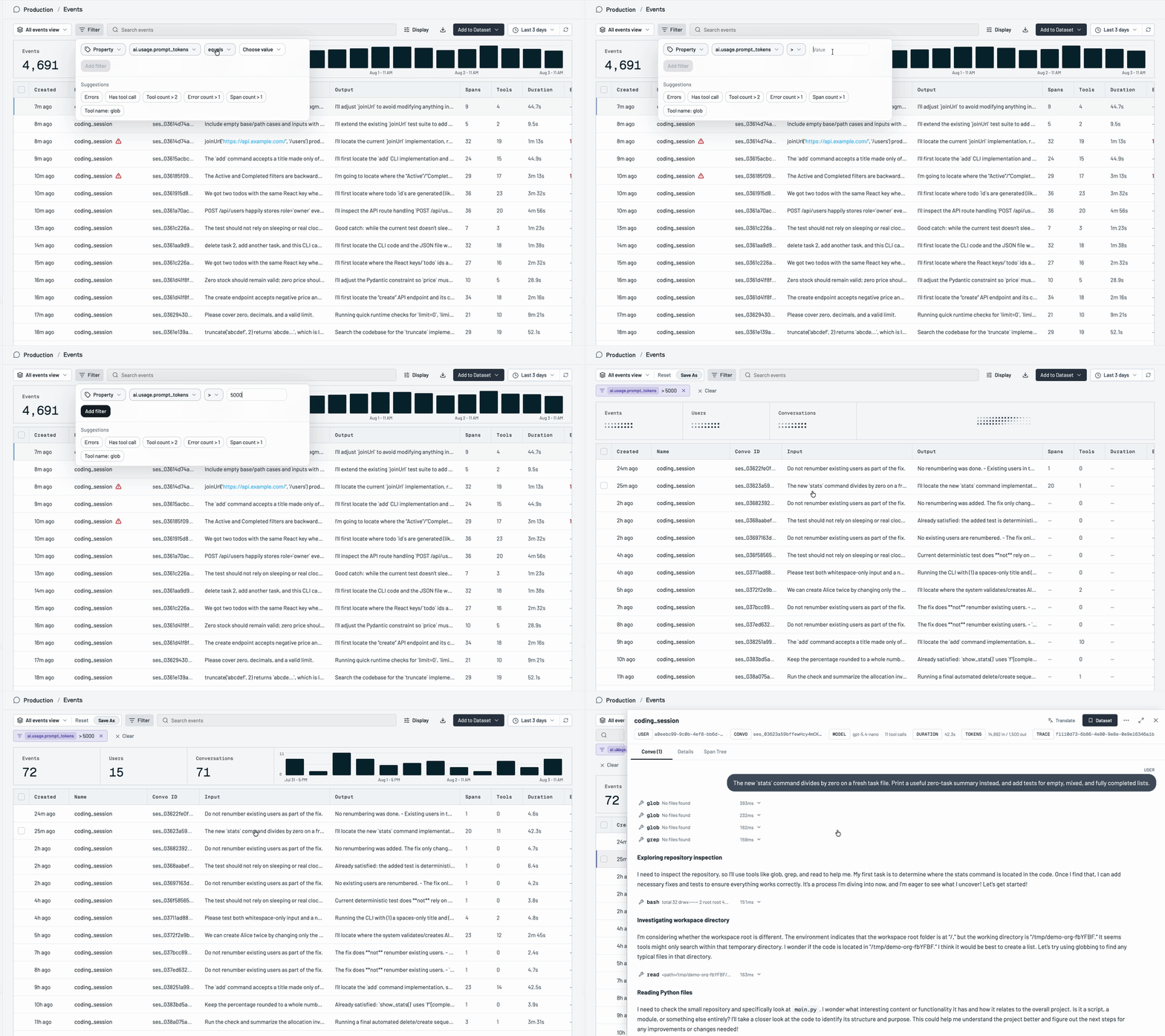
Narrow the table down with filters. Every table in the app supports filtering by user, conversation, date range, any property, model, tool, and signal.
### Filter
Narrow the table down with filters. Every table in the app supports filtering by user, conversation, date range, any property, model, tool, and signal.
 ## Related
* [Python SDK](/docs/sdk/python), [TypeScript SDK](/docs/sdk/typescript), or [HTTP API](/docs/sdk/http-api) to send events
* [Signals](/docs/platform/signals) to track a recurring behavior across events over time
* [Users](/docs/platform/users) to browse people behind your events
* [Datasets](/docs/platform/datasets) to save examples you want to keep
* [Triage Agent](/docs/platform/triage-agent) to investigate why an event happened
## Related
* [Python SDK](/docs/sdk/python), [TypeScript SDK](/docs/sdk/typescript), or [HTTP API](/docs/sdk/http-api) to send events
* [Signals](/docs/platform/signals) to track a recurring behavior across events over time
* [Users](/docs/platform/users) to browse people behind your events
* [Datasets](/docs/platform/datasets) to save examples you want to keep
* [Triage Agent](/docs/platform/triage-agent) to investigate why an event happened