> ## Documentation Index
> Fetch the complete documentation index at: https://raindrop.ai/docs/llms.txt
> Use this file to discover all available pages before exploring further.
# Datasets
> Create shared collections of events, traces, and uploaded examples your team wants to keep.
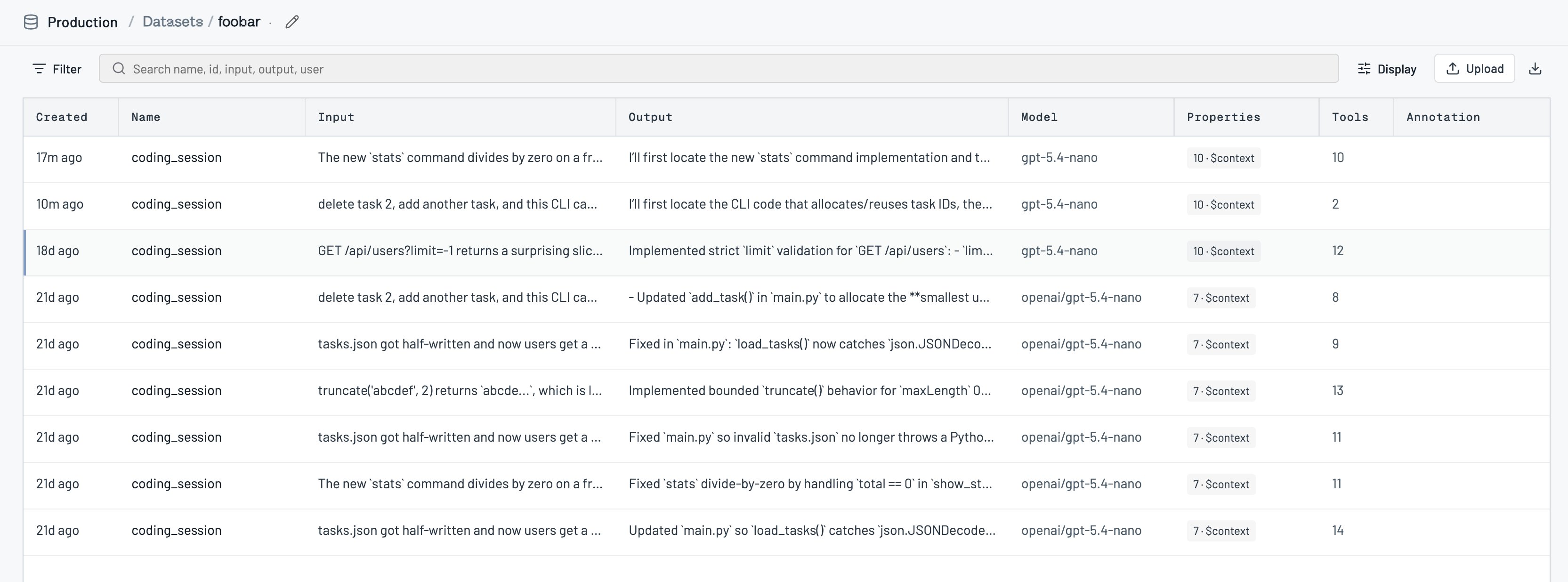
A dataset is a curated collection of examples your team wants to keep: events, traces, and custom uploaded rows. Use datasets to hold eval sets, golden examples, labeled training rows, or any slice of traffic you don't want to hunt for again.
## How datasets work
Each dataset belongs to one [project](/docs/platform/projects) and holds members of three kinds:
* **Events** saved from the Events page
* **Traces** saved from a trace view
* **Custom** rows uploaded as a file
You can annotate members with labels (Good, Bad, Needs review, Interesting, or your own). Opening a dataset gives you a workspace to filter items, label them, export CSV, and optionally chat with the [Triage Agent](/docs/platform/triage-agent) about that collection.
In the **All projects** view you can browse datasets across active projects, but creating one asks which project it should live in, and uploads / edits stay project-scoped.
## Using datasets
### Create a dataset
On [Datasets](https://app.raindrop.ai/datasets), create a shared collection and give it a name (and optional description). If you're in All projects, pick the target project first.
 ### Save events or traces into a dataset
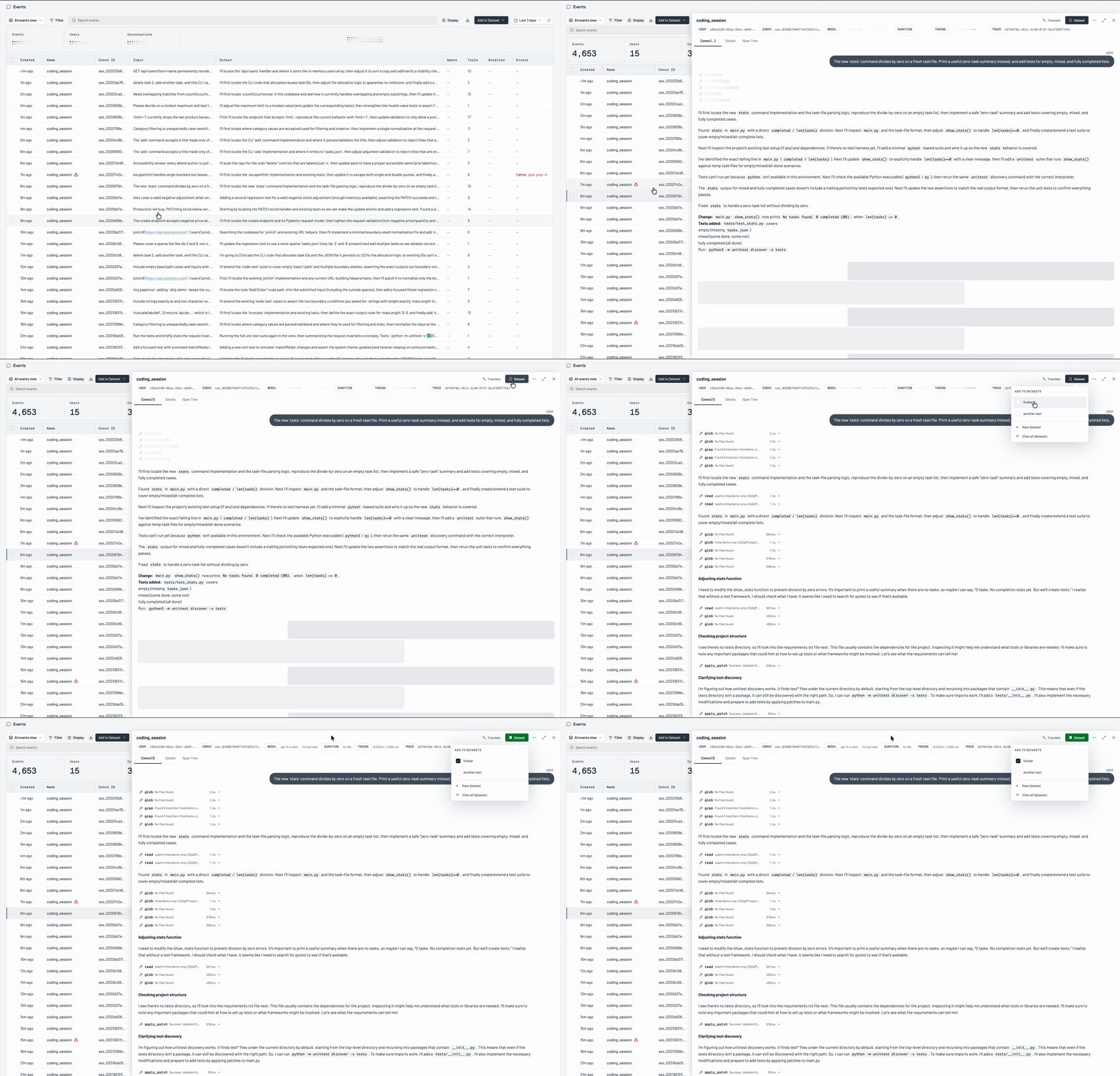
From an event or trace, use **Add to dataset** to save it into an existing collection or create a new one. You can also add many matching items at once from a filtered list.
### Save events or traces into a dataset
From an event or trace, use **Add to dataset** to save it into an existing collection or create a new one. You can also add many matching items at once from a filtered list.
 ### Upload custom rows
Upload a file into a dataset when the examples don't already live in Raindrop as events. Uploads require a concrete project (not All projects).
### Annotate and export
Open a dataset, label items as you review them, remove members you don't need, and export the collection as CSV when you want it outside Raindrop.
### Ask Triage about a dataset
With the dataset open, chat with Triage to find more examples like the ones you've kept, summarize the collection, or suggest removals.
## Troubleshooting
**I can't upload or edit in All projects.** Switch into the owning project. Org-wide view is for browsing, not writes.
**Create asks me to pick a project.** You're in All projects. Choose which project the dataset should belong to.
## Related
* [Events](/docs/platform/events) to find and save examples
* [Signals](/docs/platform/signals) when a labeled set becomes a tracked behavior
* [Triage Agent](/docs/platform/triage-agent) to chat about a dataset
* [MCP overview](/docs/mcp/overview) (`list_datasets`, `create_dataset`, `update_dataset_members`, `annotate_items`)
* [Projects](/docs/platform/projects) for how datasets are scoped
### Upload custom rows
Upload a file into a dataset when the examples don't already live in Raindrop as events. Uploads require a concrete project (not All projects).
### Annotate and export
Open a dataset, label items as you review them, remove members you don't need, and export the collection as CSV when you want it outside Raindrop.
### Ask Triage about a dataset
With the dataset open, chat with Triage to find more examples like the ones you've kept, summarize the collection, or suggest removals.
## Troubleshooting
**I can't upload or edit in All projects.** Switch into the owning project. Org-wide view is for browsing, not writes.
**Create asks me to pick a project.** You're in All projects. Choose which project the dataset should belong to.
## Related
* [Events](/docs/platform/events) to find and save examples
* [Signals](/docs/platform/signals) when a labeled set becomes a tracked behavior
* [Triage Agent](/docs/platform/triage-agent) to chat about a dataset
* [MCP overview](/docs/mcp/overview) (`list_datasets`, `create_dataset`, `update_dataset_members`, `annotate_items`)
* [Projects](/docs/platform/projects) for how datasets are scoped